Drive overview
Drive is your workspace’s file home. Anything you upload lives here, alongside the files the rest of Knobs produces — so there’s one place to browse, preview, and clean up.
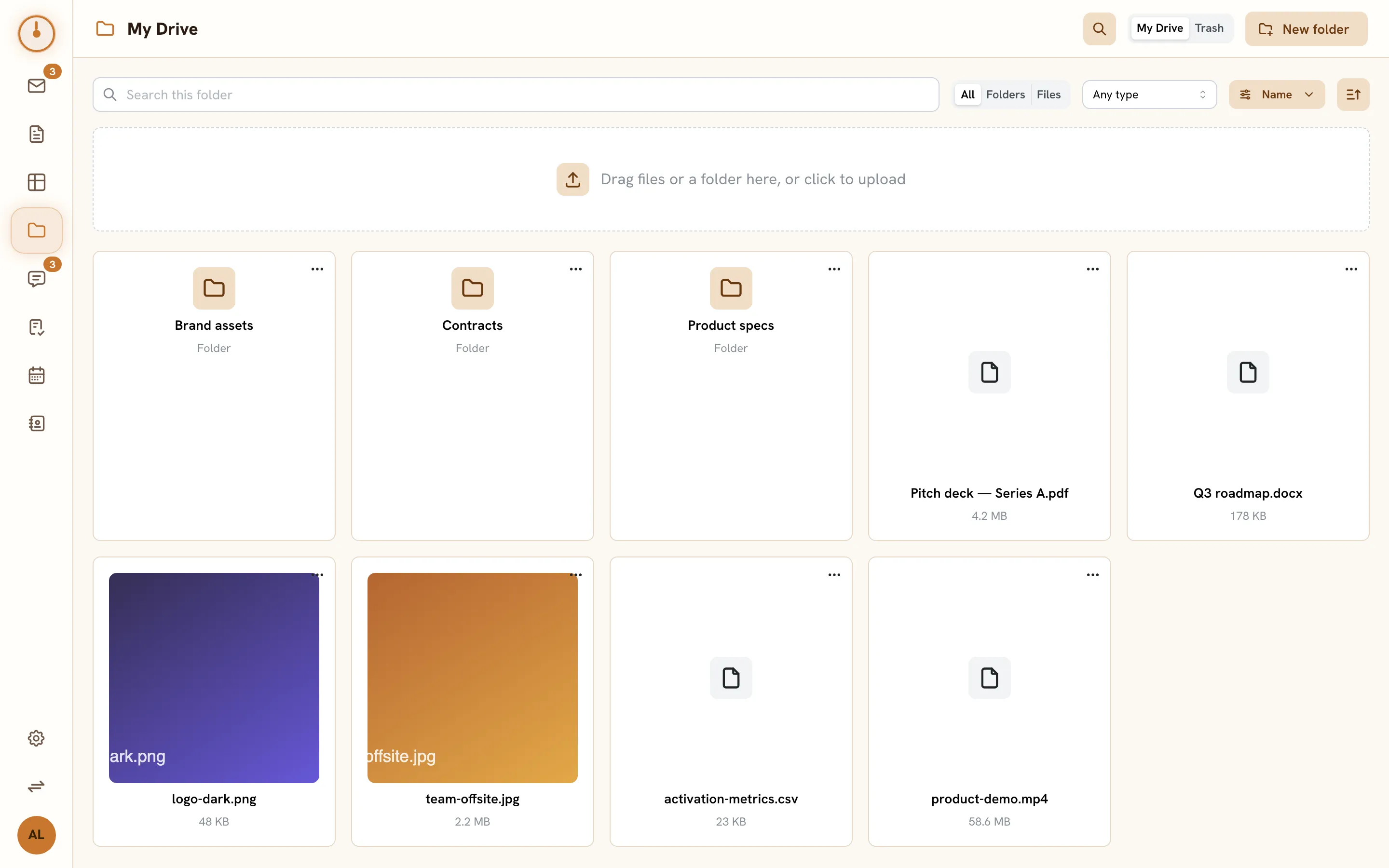
The Drive screen
Section titled “The Drive screen”Open Drive from the sidebar. The main view is a grid of cards — folders first, then files, with image files showing a thumbnail instead of a generic icon.
- Breadcrumbs across the top show where you are; click My Drive or any crumb to jump back up. Click a folder card to step into it.
- The upload zone sits above the grid — drag files (or a whole folder) onto it, or click it to pick files. See Upload & organize.
- New folder creates a folder right where you’re standing.
- The My Drive / Trash toggle switches between your live files and the trash, where you can restore items or delete them for good.
- The filter row lets you search the current folder by name, narrow to folders or files, filter by file type, and change the sort. The search icon next to it opens workspace-wide search pre-filtered to files.
Click a file to open it in the in-app viewer — images, video, audio, and PDFs play or render inline; everything else offers a download. See Previews, downloads & sharing.
Drive is behind everything else
Section titled “Drive is behind everything else”Drive isn’t just the files you put there by hand — it’s the storage layer for the whole suite:
- Mail attachments you receive are extracted into Drive, and composing a message attaches Drive files.
- Chat file shares reference Drive files; a file dropped into a channel lives here.
- Docs and sheets are Drive items under the hood, which is why they share the same access model.
Private by default
Section titled “Private by default”Like everything in Knobs, your files are private by default — uploading a file doesn’t expose it to the rest of the workspace. Access to a folder flows down to the files inside it, and workspace owners and admins can always reach workspace content. The full model, including how grants and workspace-wide access work, is covered in Sharing & access.
Working against the HTTP API instead? The Drive endpoints are documented in the API reference.